![VS-Logo-1.jpg]](https://support.vsware.ie/hs-fs/hubfs/VS-Logo-1.jpg?height=40&name=VS-Logo-1.jpg)
When You Have No Payment Method Saved Yet
To save a payment method for the first time:
- Go to your child’s Fees page.
- Make a card payment as normal.
- When prompted, choose Yes to save your card for future payments.
- Your card will now appear under Manage Payment Methods.
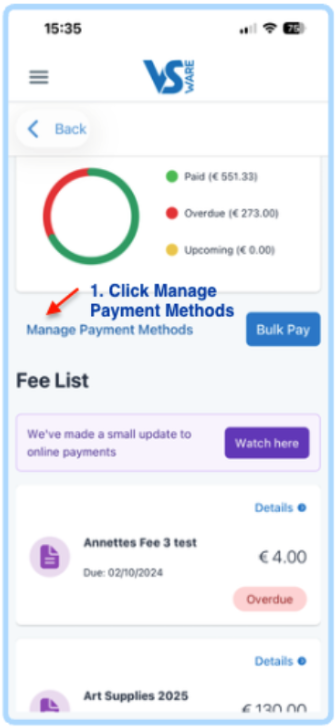
To add another card later:
- Open your child’s Fees page.
- Click Manage Payment Methods.
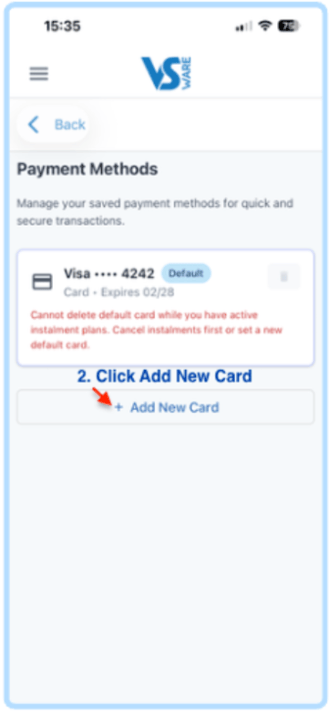
- Select Add new card.
- Enter the new card details.
- Click Save.
When You Already Have a Payment Method Saved
To update or change your card:
- Go to your child’s Fees page.
- Click Manage Payment Methods.
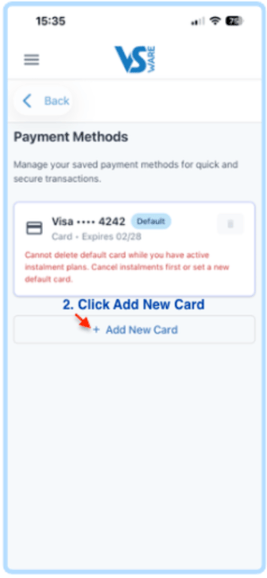
- Select Add new card.
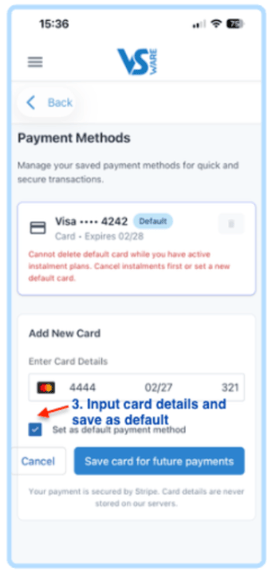
- Enter the new card details.
- Choose Set as default payment method (if you wish).
- Click Save.
- You can now delete any old cards you no longer want to use.
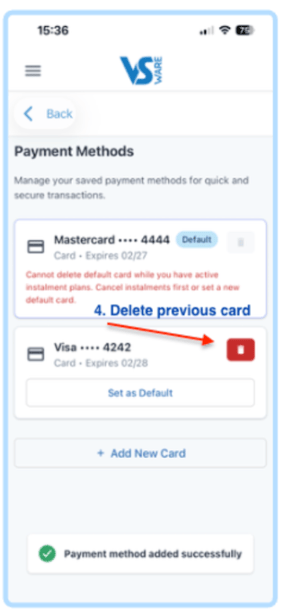
Important for Instalment Plans
If you have an active instalment subscription, you cannot delete the card linked to that subscription until:
- You add a new card
- You set the new card as the default payment method
Once that’s done, you can remove the old card.
For more information on payment instalments, click here.